SetupSelect

Gaming Setup buying framework

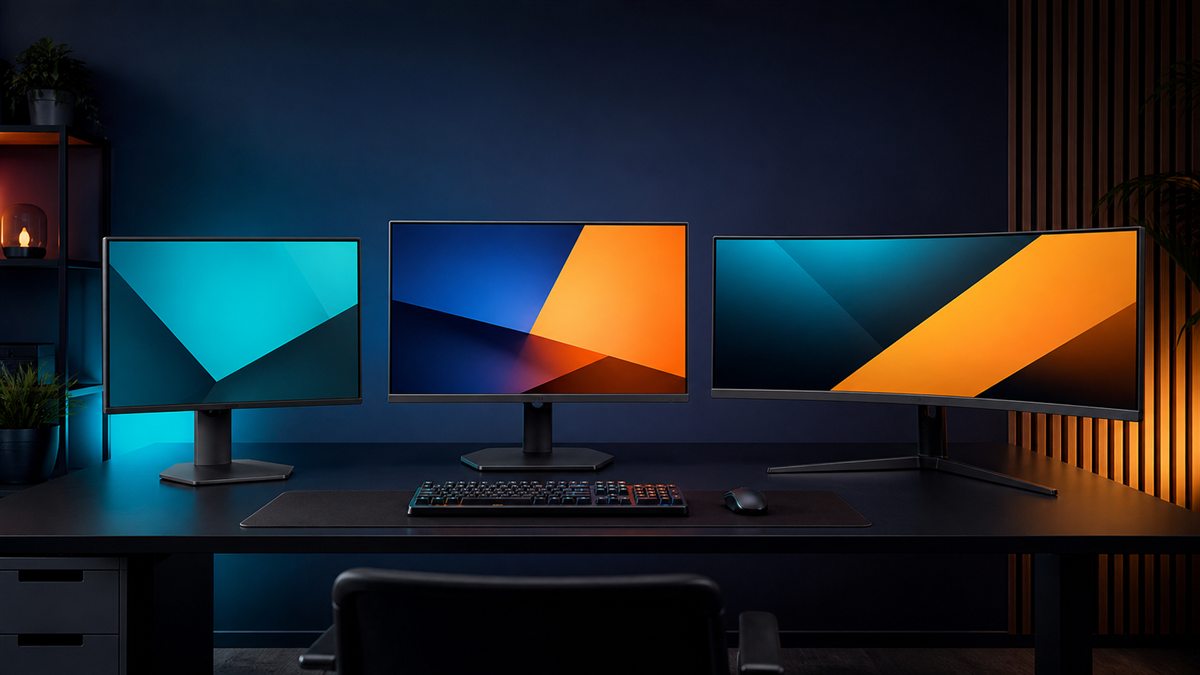
How to choose gaming monitors

Start with the games, source device and viewing distance. A monitor only delivers its advertised resolution and refresh rate when the graphics hardware, output port, cable and monitor input support the same combination.

Fit before features

Three checks to do first

  1. 1Measure eye-to-screen distance, clear desk width and usable depth with the stand.
  2. 2List the PC or console output ports, target games and realistic frame-rate range.
  3. 3Check every required input, USB feature, audio route and VESA requirement.

Decision framework

What should drive the decision?

Size and resolution

Pixel density and viewing distance shape clarity. Larger screens need more desk depth and may demand more graphics performance.

Refresh and response

High refresh helps when the source produces suitable frame rates. Compare credible response behaviour and overshoot, not one best-case figure.

Panel and ports

Contrast, viewing angle, motion and HDR capability vary by panel and implementation. Confirm port bandwidth for each source.

The trade-off to understand

Competitive setups often favour smaller high-refresh displays; immersive setups may value contrast, resolution or width. One screen rarely maximises every strength.

Warning signs in a listing

  • The headline refresh rate only works through one input or reduced colour settings.
  • HDR branding appears without meaningful brightness or local control.
  • The stand depth and adjustment range are absent from dimensions.

A sensible buying order

  1. 1Define games, platform and viewing distance.
  2. 2Choose size and resolution.
  3. 3Match refresh, adaptive sync and ports.
  4. 4Verify stand footprint, ergonomics and return policy.

Use the framework with your setup

Record the measurements and non-negotiables above before comparing individual models. These related tools help turn the framework into a practical shortlist.

Common questions

Before you compare products

What should I check first when buying gaming monitor?

Measure eye-to-screen distance, clear desk width and usable depth with the stand.

Is it worth paying more for gaming monitor?

Only when the additional spend improves a requirement you will use regularly. Competitive setups often favour smaller high-refresh displays; immersive setups may value contrast, resolution or width. One screen rarely maximises every strength.

Current catalogue

Compare gaming monitors

Use the framework above to decide which differences matter. Then verify the exact model, specification, seller, current price, availability, delivery and returns on Amazon.

Styled gaming monitors selection
Editorial catalogue score, not personalised Fit: 90
Alienware AW2725DF QD-OLED Gaming Monitor

Alienware / premium

Editorial research only · not hands-on tested

Check the exact model, seller, availability and delivery terms on Amazon before buying.

gaming setuppremiumpc

Key features

  • OLED-class contrast and response are the main appeal
  • High-end 27-inch format avoids ultrawide desk demands

Trade-off: Premium cost

View on Amazon

Paid link. As an Amazon Associate I earn from qualifying purchases. Details

Compare products
Styled gaming monitors selection
Editorial catalogue score, not personalised Fit: 86
Gigabyte M27Q X Gaming Monitor

Gigabyte / mid range

Editorial research only · not hands-on tested

Check the exact model, seller, availability and delivery terms on Amazon before buying.

gaming setupmid rangepc

Key features

  • 1440p format balances detail and performance
  • Connectivity-focused design suits shared desks

Trade-off: Feature set varies by hardware revision

View on Amazon

Paid link. As an Amazon Associate I earn from qualifying purchases. Details

Compare products
Styled gaming monitors selection
Editorial catalogue score, not personalised Fit: 84
LG UltraGear 27GS60F Gaming Monitor

LG / mid range

Editorial research only · not hands-on tested

Check the exact model, seller, availability and delivery terms on Amazon before buying.

gaming setupmid rangepc

Key features

  • 27-inch format balances immersion and desk use
  • Broad gaming use without premium pricing

Trade-off: Full HD at 27 inches will not suit everyone

View on Amazon

Paid link. As an Amazon Associate I earn from qualifying purchases. Details

Compare products
Styled gaming monitors selection
Editorial catalogue score, not personalised Fit: 84
ASUS TUF Gaming VG27AQ3A Monitor

ASUS / mid range

Editorial research only · not hands-on tested

Check the exact model, seller, availability and delivery terms on Amazon before buying.

gaming setupmid rangepc

Key features

  • Gaming-focused 27-inch 1440p format
  • High-refresh positioning suits action games

Trade-off: Exact refresh support depends on connection and source

View on Amazon

Paid link. As an Amazon Associate I earn from qualifying purchases. Details

Compare products
Styled gaming monitors selection
Editorial catalogue score, not personalised Fit: 77
AOC 24G4XE Gaming Monitor

AOC / budget

Editorial research only · not hands-on tested

Check the exact model, seller, availability and delivery terms on Amazon before buying.

gaming setupbudgetpc

Key features

  • Compact screen format keeps the whole display easy to scan
  • High-refresh positioning suits fast games

Trade-off: Full HD is less detailed than higher-resolution alternatives

View on Amazon

Paid link. As an Amazon Associate I earn from qualifying purchases. Details

Compare products
Styled gaming monitors selection
Editorial catalogue score, not personalised Fit: 77
MSI G244F E2 Gaming Monitor

MSI / budget

Editorial research only · not hands-on tested

Check the exact model, seller, availability and delivery terms on Amazon before buying.

gaming setupbudgetpc

Key features

  • Compact format and gaming-focused refresh specification
  • Straightforward route into higher-refresh play

Trade-off: Stand adjustment may be limited

View on Amazon

Paid link. As an Amazon Associate I earn from qualifying purchases. Details

Compare products