Buying guide
55 vs 65 vs 75-inch TVs: what fits your room?
Compare the width, picture area and viewing distance of 55, 65 and 75-inch TVs, with room examples and a free TV size calculator.
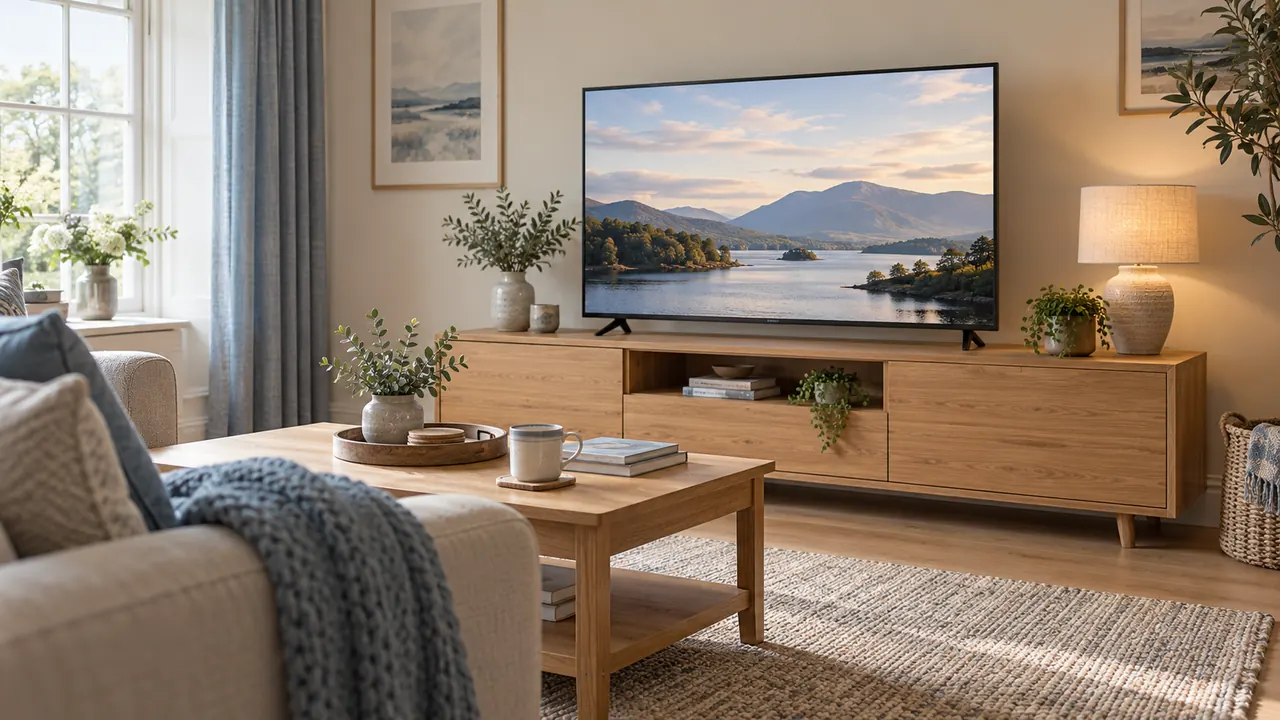
A 65-inch TV is a useful middle option to compare with 55 and 75 inches, but it is not automatically the right choice for an average living room.
Start with the distance from your eyes to the screen, the programmes you watch and the space the complete television will occupy. Those three checks are more useful than a room-size label.
Moving from 55 to 65 inches adds roughly 40% more picture area. Moving from 65 to 75 inches adds about another 33%. That is why a ten-inch increase can feel much bigger than the number suggests.
It also explains why the largest option deserves a proper mock-up before you order it.
Try the TV size calculator with the distance from your favourite seat. If you've seen two different recommendations for that same distance, both may be based on a real measurement.
The difference is often how much of your view the guide expects the screen to fill.
What the advertised inches actually measure
The size is the diagonal of the picture, measured from one corner to the opposite corner. It does not tell you the width of the cabinet, the distance between the feet or the height with the supplied stand. Those are separate specifications.
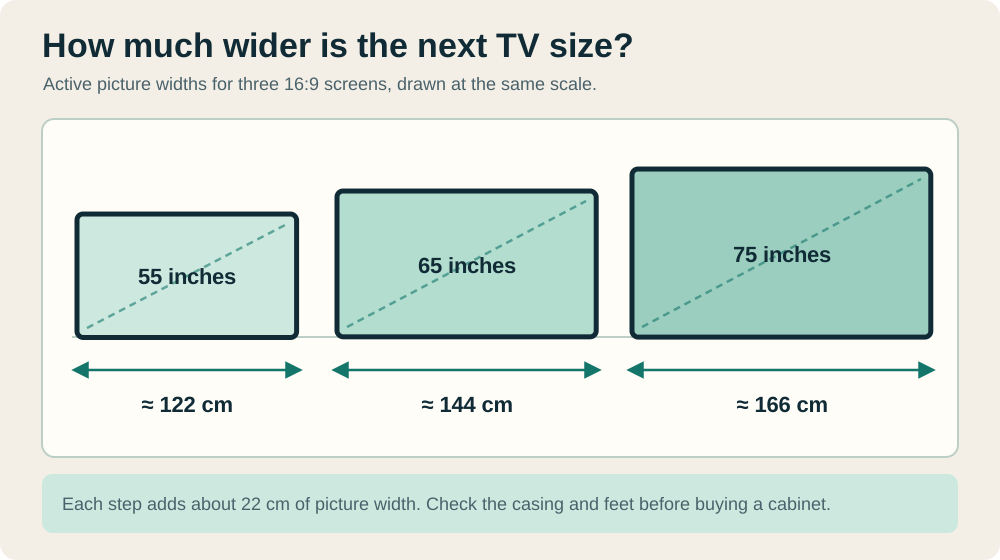
For a flat 16:9 picture, the approximate active dimensions are shown below. They are calculated from the aspect ratio and the advertised diagonal, so use them to compare picture sizes rather than to order furniture.
A model's actual diagonal may also differ slightly from its size class.
| Advertised size | Calculated picture width | Calculated picture height | Picture area relative to 55 inches |
|---|---|---|---|
| 55 inches | 121.8cm | 68.5cm | 100% |
| 65 inches | 143.9cm | 80.9cm | About 140% |
| 75 inches | 166.0cm | 93.4cm | About 186% |
At the same aspect ratio, width and height grow in proportion to the diagonal, while area grows with its square. The 75-inch image is therefore about 86% larger in area than the 55-inch image. It is not 86% wider: the width increase is about 36%.
This distinction matters in a narrow alcove. An extra 22cm of picture width between each of these sizes might determine what fits, even if the larger area looks attractive on a comparison chart. Leave the final physical check to the exact model's dimensions.
Measure the viewing distance from your eyes
Measure from your usual seated eye position to the proposed screen plane. The distance from the sofa's back to the wall is different, especially with a deep sofa or a TV standing well forward on furniture.
A reclining seat may create another viewing position again.
Record a main distance and any other seat that matters. For example, you might watch films from 2.5m and use a chair 3.1m away for everyday television. A single average would hide the difference.
Compare all three sizes from both positions, then decide which seat deserves priority.
If the TV will move from a cabinet to a wall, measure the new position. Even a modest shift changes the apparent size, and a corner arrangement may leave the seats at very different angles.
The calculator is most helpful when its inputs describe the room you intend to use.
You do not need survey-level precision. Measure carefully enough to distinguish 2.2m from 2.8m, and note where the screen front will sit.
Avoid pretending that a distance measured to the nearest millimetre creates an equally exact answer about personal preference.
Minimum viewing distance is not the same as a preferred distance
Some advice asks how close you can sit before the image structure becomes noticeable. Other advice asks how much of your view the picture should fill. Those are different questions, which is why searching for one ideal distance produces conflicting numbers.
Sony's guidance describes a minimum distance for 4K televisions of about 1.5 times the screen height. It lists approximate minimums of 1m for 55 inches, 1.2m for 65 inches and 1.4m for 75 inches, and says preference, content and room conditions also matter.
Those figures are not instructions to move every sofa that close. Sony's viewing-distance guidance.
For comparison, Philips presents broader size-and-distance suggestions, including roughly 2–2.3m for 65 inches and 2.3–2.8m for 75 inches, while discussing different viewing preferences.
Treat such tables as starting points for a trial, not a rule that disqualifies your room. Philips TV size guide.
Ask what a recommendation is trying to achieve before applying it. You may enjoy a large film image while preferring a smaller picture for news tickers, sport graphics or games that require frequent attention near the edges.
Compare how much of your view the picture fills
Viewing angle gives a useful way to compare sizes at the same distance. Here it means the horizontal angle between the left and right edges of the picture as seen from a seat centred on the screen. A larger angle means a larger apparent picture.
These illustrative values use the calculated 16:9 widths above. They do not include a bezel and are not recommended comfort limits.
| Eye-to-screen distance | 55-inch picture | 65-inch picture | 75-inch picture |
|---|---|---|---|
| 2m | About 34° | About 40° | About 45° |
| 2.5m | About 27° | About 32° | About 37° |
| 3m | About 23° | About 27° | About 31° |
Notice that a 55-inch picture at 2.5m has a similar horizontal angle to a 65-inch picture at 3m. Screen size alone cannot describe the experience. Moving a seat can sometimes produce the change you want without increasing the television size.
The calculation assumes you face the middle of the picture. A side seat adds another issue: the panel's off-axis appearance and the angle at which you view it.
Check those from the actual seats rather than treating the centred calculation as a complete room assessment.
A worked example at 2.5 metres
Picture replacing your 55-inch television with the sofa 2.5m away. You mostly watch subtitled dramas, a film at the weekend and the news during the day.
The current TV feels comfortable from the sofa, though someone in a chair a bit farther back finds the subtitles small. That gives you something specific to test when you try the larger sizes.
At that distance, 65 inches increases the horizontal picture angle from about 27 to 32 degrees. It also makes everything within the same image proportionally larger. The 75-inch option reaches about 37 degrees and occupies considerably more of the wall.
They make paper outlines for both larger sizes. From the sofa, both seem plausible; from the nearer end of the sofa, 75 feels more dominant. They also discover that the proposed 75-inch model's housing will crowd a door trim.
The useful shortlist becomes a 65-inch set, or a different furniture arrangement before considering 75.
This example does not establish that 65 is always best at 2.5m. It shows how picture preference, secondary seating and physical fit can point in different directions. Keeping those checks separate makes the final choice easier to explain.
Match the size to your ordinary viewing
Use the material you actually watch when comparing sizes. A spectacular demonstration clip can tell you little about the lower-quality programmes or familiar games that fill most of your week. If possible, view the same source at a comparable distance.
A larger screen magnifies the picture and any visible limitations in it. Sitting farther away may make those limitations less apparent.
That does not mean a 75-inch TV is unsuitable for broadcast programmes; it means the picture you feed it belongs in the decision alongside the resolution printed on the box.
For subtitles, programme guides and game interfaces, check legibility from the farthest regular seat. Larger is not the only adjustment available: some services and games offer text settings.
Try those on your existing equipment before assuming that a bigger panel is the only answer.
For games, consider how you use the edges of the screen. A player monitoring a map and status indicators may have a different preference from someone enjoying a slow-paced story.
If high refresh rates are also important, use the console display compatibility checker; the diagonal does not establish that capability.
Make a full-size outline at home
Use removable tape or paper suitable for the wall surface to mark the calculated picture sizes. Mark the bottom edge and centre as well as the outer rectangle.
If you have shortlisted exact models, add their full housing outlines in a different way so you can distinguish picture size from product size.
Sit in your normal position and look at each outline. Check the nearest seat, the farthest seat and the seat off to one side. Then look at the room without concentrating on the television.
Decide whether you like the amount of wall it occupies when switched off, too.
Keep the centre position consistent for your first comparison. Otherwise, a larger outline mounted higher could feel different partly because of its height. After choosing a plausible size, adjust the proposed position and repeat the check.
A paper outline cannot reproduce motion, image quality or subtitles. It is particularly good at revealing practical conflicts: a light switch, a curtain, a shelf, a radiator or a door's opening path.
Use it to eliminate unsuitable arrangements, then inspect the remaining picture-size choice with real content where possible.
Check the furniture before choosing the final model
Two televisions sold as 65 inches can use very different stands. One may have a central pedestal; another may have feet close to the edges. Their depth and height above the furniture can differ as well.
A cabinet advertised for a certain screen size cannot answer all those questions.
Look up the full width, height and depth with the stand you plan to use. Check where the feet sit and how much the TV and stand weigh together.
Compare those figures with the furniture instructions and load limit, and leave room for a soundbar or any other equipment that's sharing the cabinet.
For a wall-mounted television, the panel's width still matters, but the bracket, fixing surface, cable access and permitted installation clearances become separate checks.
Moving a TV onto the wall should be planned as an installation, not treated as a free pass around unsuitable furniture.
The TV stand size and fit guide walks through those measurements. If you're still shopping, compare 55, 65 and 75-inch TV models by cabinet fit.
For another model, use the manual fit check with the manufacturer's figures.
Consider the whole seating group
The best size for one centred viewer may be less convincing for a shared room. Note who uses which seat and whether the television needs to serve two people at very different distances. Give frequent use more weight than an occasional gathering.
Moving the sofa slightly, turning a chair or changing the cabinet position may improve several seats at once. Before buying a larger screen to help a distant chair, check whether that chair can move closer without obstructing the room.
Equally, do not move furniture so close that ordinary access becomes awkward.
If the room also serves as a console setup, plan where controllers, cables and equipment will live. The shared living room gaming guide covers that daily changeover.
A larger television should still leave the room easy to use when nobody is watching.
Is 75 inches too big for a small room?
The room label is not enough to decide. A small room can have a reasonably long viewing distance, while a large open-plan room can place the sofa close to the television. Measure the seats and the installation space, then try the outline.
If the closest regular viewer dislikes the apparent size, that matters even when a chart says it is acceptable.
Is a 65-inch TV worth replacing a 55-inch one?
The picture area increases by about 40%, so the size change is substantial. Whether it is worthwhile depends on what the current set fails to do.
If the problem is reflection, poor sound or an unsuitable stand position, a larger screen alone may leave it unresolved. Write down the improvement you want before comparing prices or features.
Will 75 inches show more detail than 65 inches?
With the same pixel resolution, it spreads the same number of pixels over a larger area. That may make detail easier to see from your seat, but it does not add detail to the source. Picture processing, the panel and the programme also affect what you see.
Compare the complete televisions rather than assuming the larger diagonal wins every part of the picture comparison.
A practical way to settle the choice
Shortlist two sizes, rather than leaving every option open. Use the smaller one as your everyday baseline and ask what the larger one improves: distant-seat legibility, a more involving film image or something else you can describe.
Then check what it asks you to change in the room.
Keep a short record of the viewing distance, preferred outline, exact model dimensions and furniture result. If one size improves the viewing experience and fits the room without an awkward compromise, you have a clear reason to choose it.
If both work, personal preference is a sensible final deciding factor.
Keep exploring
Related gaming setup guides
 What size TV stand do you need? Measure before you buyCheck TV width, feet spacing, stand depth and cabinet load limits. Use the cabinet-fit calculator before choosing furniture for your TV.
 Shared living-room console setup: connections and quick changeoverPlan console ventilation, display compatibility, seating, audio and controller storage around ordinary shared-room use.PS5 or Xbox not showing 120Hz? Check your setupWork through the game, console settings, HDMI cable and screen input when 120Hz is missing on PS5 or Xbox. Includes a simple connection checklist.